
How to Build a WordPress Website for Free
Building a website is no longer expensive or complicated. In today’s digital world, having an online presence is essential for students, freelancers, startups, and small business owners in India. Learning how to build a WordPress website for free allows you to start your online journey without worrying about upfront costs, technical complexity, or coding knowledge.
WordPress is one of the most trusted website platforms in the world. Millions of websites rely on it because it is flexible, beginner-friendly, and scalable. Whether your goal is to create a personal blog, a business profile website, or an information portal, WordPress gives you the tools to get started at zero cost.
In this detailed guide, you will learn step by step how to create a WordPress website for free, understand the tools involved, know the limitations of free plans, and discover how to use a free website strategically for long-term business growth.
 WordPress dashboard / website setup
How to Build a WordPress Website for Free Step by Step
If you are new to website creation, following a clear step-by-step approach is very important. The steps below are designed for beginners and are especially suitable for Indian users who are creating their first website.
Step 1: Understand WordPress.com vs WordPress.org
Before you start building your website, you must understand the difference between WordPress.com and WordPress.org. This is one of the most common confusion points for beginners.
- WordPress.com
- Provides a free website plan
- Hosting is included
- No technical setup required
- Limited customization options
- WordPress.org
- Requires paid hosting and domain
- Not free in real terms
- Full control over design and plugins
- Best for long-term business scaling
WordPress.com removes the technical burden and lets you focus on learning, content creation, and basic website management.
Step 2: Create a Free WordPress Account
Once you decide to use WordPress.com, the next step is creating a free account. This process is quick and user-friendly.
- Visit WordPress.com
- Click on the “Get Started” button
- Sign up using your email or Google account
- Select a site name such as yourbusiness.wordpress.com
This free subdomain is suitable for students, freelancers, and early-stage startups who want to test their business ideas online before investing money.
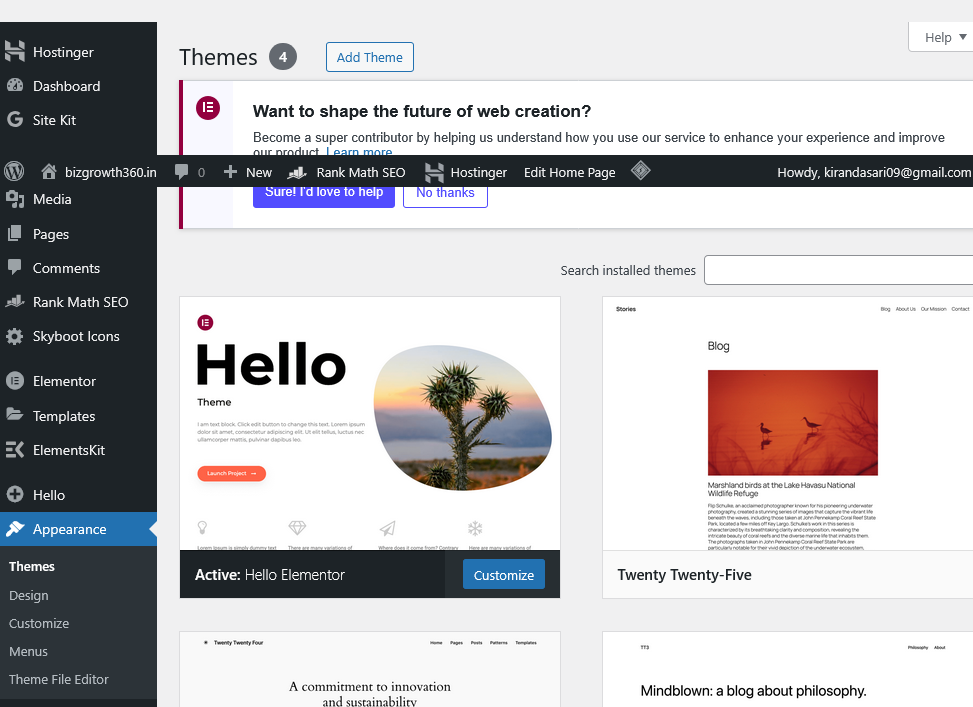 Theme selection / page builder
Step 3: Choose a Free Theme
WordPress offers many free themes that look professional and work well on both desktop and mobile devices. Choosing the right theme helps your website appear clean and trustworthy.
- Choose a simple and clean layout
- Ensure the theme is mobile responsive
- Avoid heavy animations and cluttered designs
Free themes are sufficient to:
- Display your services or products
- Share contact details
- Publish blog posts
- Build basic brand credibility
You can change themes anytime without losing content, so don’t worry about making the perfect choice at the beginning.
Can You Really Learn How to Build a WordPress Website for Free?
Yes, you can absolutely learn how to build a WordPress website for free. However, it is important to understand what free plans are designed for and what they are not.
A free WordPress website is ideal for:
- Learning website fundamentals
- Building a personal or professional profile
- Freelancers showcasing their work
- Startups testing business ideas
- Students gaining practical experience
For beginners in India, this approach offers a zero-risk entry into the digital ecosystem. You can practice content creation, basic SEO, and website structure without financial pressure.
 Business website / mobile view
How to Build a WordPress Website for Free Without Coding
One of the biggest advantages of WordPress is that you do not need coding skills. Everything can be managed visually using built-in editors and tools.
- Create pages using visual editors
- Edit content like MS Word
- Upload and manage images easily
- Create menus with simple clicks
This makes WordPress an excellent platform for non-technical users, small business owners, and students who want to focus on content and business rather than code.
Using a Free WordPress Website for Business Growth
Even though a free WordPress website has limitations, it can still support business growth when used strategically. Many successful businesses started with a free website and upgraded later.
- Use the website as a digital visiting card
- Publish helpful blog content regularly
- Redirect leads to WhatsApp or contact forms
- Build trust through consistent updates
You can also explore related articles on our website such as WordPress setup guide and basic SEO tips for beginners to improve your learning curve.
Final Thoughts
WordPress ni Hostinger lanti hosting lo premium builder tho easy ga setup cheyavachu. “Add Website” option use chesi WordPress create chesukoni, Astra ledha Hello Theme install chesi, Elementor Free use chesi pages design cheyavachu.
Okavela meeku ee process clear ga artham kakapothe, 9010373792 ki WhatsApp message cheyandi. Nenu free ga website build chesi isthanu. Premium hosting budget lekapothe cheppandi—WordPress setup nenu create chesi isthanu, hosting ki matrame ₹1000 chalu.
Ma platform BizGrowth360 lo business-wise plugins, tools, and suggestions untayi. Homepage lo mee business category select chesi okasari chudandi. External learning kosam WordPress official documentation and beginner resources kuda chudavachu.