
NEW Way to Import Envato Template Kits into WordPress 2026 – TUTORIAL
Building professional WordPress websites has become faster and more efficient with the help of Envato Template Kits. However, many users still face problems like failed imports, broken layouts, or missing styles when using outdated methods. With recent updates in WordPress, Elementor, and Envato systems, the traditional import process no longer works smoothly for everyone.
This guide explains the NEW Way to Import Envato Template Kits into WordPress 2026 – TUTORIAL using a clean, stable, and beginner-friendly approach. It is written for freelancers, agencies, and Indian small business owners who want to launch professional websites quickly without technical frustration.
Why Envato Template Kits Are Popular for WordPress Websites
Envato Template Kits are pre-designed website layouts built mainly for Elementor. Instead of designing everything from scratch, you can import ready-made pages and customize them to match your brand. This approach saves time and delivers professional results.
- Speeds up website development
- Professional design quality
- No coding required
- Ideal for business and client projects
For freelancers and agencies in India, Template Kits reduce project timelines and improve delivery consistency.
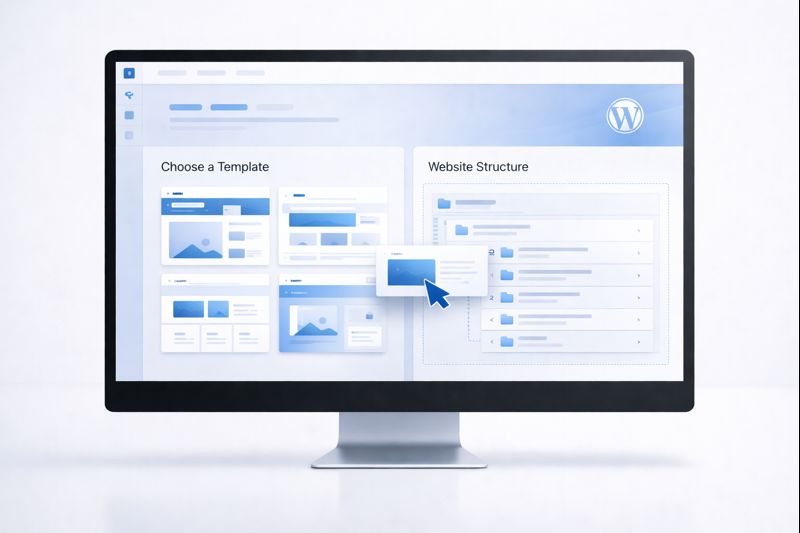
Why the Old Import Method Fails in 2026
Many tutorials still show outdated techniques that no longer work correctly. WordPress and Elementor have improved security, file handling, and dependency management, which affects how templates are imported.
- Invalid file type errors
- Missing fonts and styles
- Broken layouts after import
- Templates not appearing in Elementor
These issues are the main reason you need to follow the NEW Way to Import Envato Template Kits into WordPress 2026 – TUTORIAL.
NEW Way to Import Envato Template Kits into WordPress 2026 Explained
The new import method focuses on plugin compatibility and correct sequencing. Instead of manually uploading ZIP files, the updated approach uses the Envato Elements plugin to handle downloads and imports safely.
This method reduces errors, avoids server timeouts, and ensures that global styles and page templates load correctly.
- Beginner-friendly process
- Stable for live websites
- Compatible with latest updates
Requirements Before You Start
Before importing any Template Kit, ensure your WordPress website is ready. A clean setup produces the best results.
- Latest WordPress version
- Elementor (free) installed
- Minimal plugins activated
- Stable hosting environment
Avoid importing Template Kits on websites filled with unused themes or plugins.
Plugins Required for the New Import Method
Mandatory Plugins
- Elementor (Free)
- Envato Elements
Recommended Plugins
- Elementor Pro (if required by the kit)
- Lightweight theme such as Hello
Installing unnecessary plugins before importing can cause conflicts, so keep your setup clean.
NEW Way to Import Envato Template Kits into WordPress 2026 Step by Step
Step 1: Install Elementor
From your WordPress dashboard, install and activate Elementor. Do not install Elementor Pro unless the kit specifically requires it.
Step 2: Install Envato Elements Plugin
Install the Envato Elements plugin and connect your Envato account.
Step 3: Choose a Compatible Template Kit
Select kits that mention compatibility with the latest Elementor version. Always read the kit description carefully.
Step 4: Import Using Envato Elements
Click “Install Kit” directly from Envato Elements. Import global styles first, then individual pages.

Common Issues While Importing Envato Template Kits
- Broken layout: Check Elementor Pro requirement
- Missing fonts: Re-import global styles
- Images not loading: Regenerate thumbnails
- Import button not working: Disable security plugins temporarily
Why This New Method Is Better for Business Websites
The updated import process is designed for real-world usage. It minimizes errors and improves workflow efficiency.
- Faster website setup
- Cleaner Elementor structure
- Better performance
- Less troubleshooting
Customizing Template Kits After Import
Once the kit is imported, customization becomes easy using Elementor.
- Replace logos and brand colors
- Update fonts via global settings
- Edit content and images
- Adjust spacing for mobile
SEO and Performance Tips After Import
Template Kits handle design, but SEO must be configured manually.
- Set SEO-friendly titles and descriptions
- Optimize images
- Improve page loading speed
- Configure permalinks
Security Tips for Imported Template Kits
- Keep WordPress and plugins updated
- Avoid nulled or pirated kits
- Use strong admin passwords
- Backup before importing
Use Cases for Indian Businesses
- Local service providers
- Digital marketing agencies
- Freelancers and consultants
- Bloggers and content creators
Template Kits allow quick website launches without heavy development costs.
Final Thoughts
The NEW Way to Import Envato Template Kits into WordPress 2026 – TUTORIAL removes confusion and makes website building smoother for beginners and professionals alike. By following the correct process, you can import, customize, and launch professional WordPress websites with confidence.
A well-built website is a long-term digital asset. Learn the right method, apply best practices, and continuously improve your site for growth and success.